
Exposed email detector
There is a website that checks whether your email has ever been hacked and shows that this email and other data have been exposed in a hacker database. The website is: https://haveibeenpwned.com

There is a website that checks whether your email has ever been hacked and shows that this email and other data have been exposed in a hacker database. The website is: https://haveibeenpwned.com

Windows has a mass installer/updater, like in Linux, for Windows 10 and 11 versions. It is very easy to use: This command asks us if we accept the conditions (Y) and shows us a list of everything we have installed that can be updated and what cannot. It shows us the list of programs that

For Windows 11 and 10, there is a cleaner for bloatware, telemetry, freemium software, etc. that is highly configurable and has the ability to save settings for future use. The programme is called Windscript, and both the installable and portable versions can be downloaded from this link: https://winscript.cc/ It also serves to automatically install many

We open PowerShell as an administrator, as usual, and apply this command: Or we can also use the classic commands:
If we use Oracle VirtualBox, it is necessary to disable Hyper-V, since the virtual machines are very slow. We open a CMD window as administrators and run: A reboot is required for it to work. If we want Hyper-V to work again, it is necessary to execute this other code: (For example to run Windows

When the Microsoft Store has disappeared and we can’t download anything from it the solution is:
This tool allows us to do a complete audit of a computer in a few minutes, and it’s free !!!! The program is called WINAUDIT and you can download it from this website: http://www.parmavex.co.uk/winaudit.html. The reports are very complete, both at Hardware and Software level:

It may be that when you open the file explorer, the floppy drive (A:) still appears even if you don’t have one. This drive also appears when we have s virtual Windows in a Hyper-V environment. To remove it, all we need to do is: Open REGEDIT. Browse to the key location below in Registry
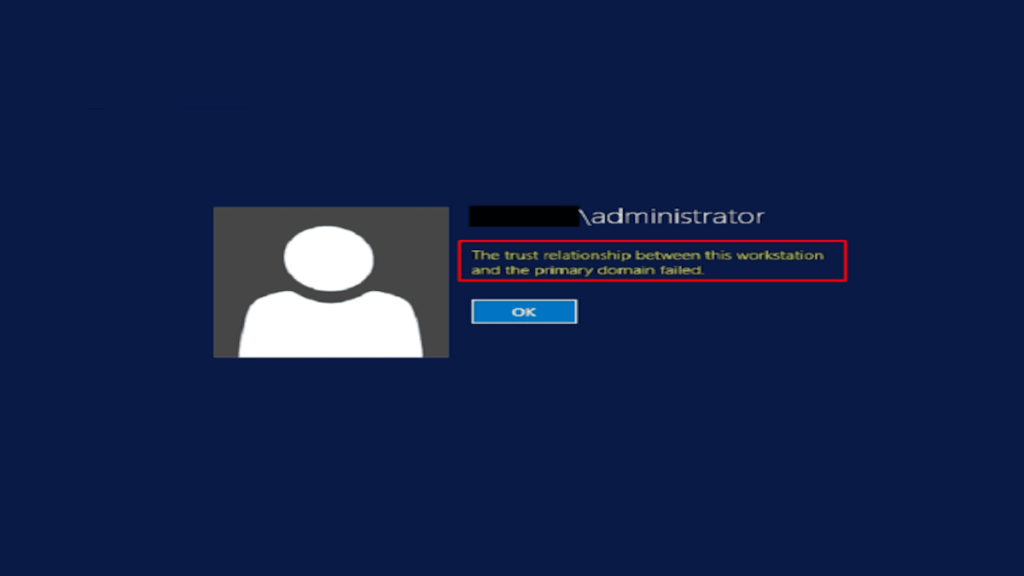
Sometimes, especially when a computer does not connect to the domain for more than 30 days, it may lose the trust relationship with the domain and not allow us to connect to it. The normal way would be to remove the pc from the domain and add it back, but there are two methods where
To remove viruses and malware, Microsoft offers the following tool: MSERT.EXE It is necessary to download it regularly, as it is updated every two weeks. You can download it from this Microsoft link: https://learn.microsoft.com/en-us/microsoft-365/security/intelligence/safety-scanner-download?view=o365-worldwide . Select 64 bits version. Currently all Windows are 64-bit The installation does not exist, we just need to run it,
Tool to find and remove malware an virus by Microsoft Read More »